


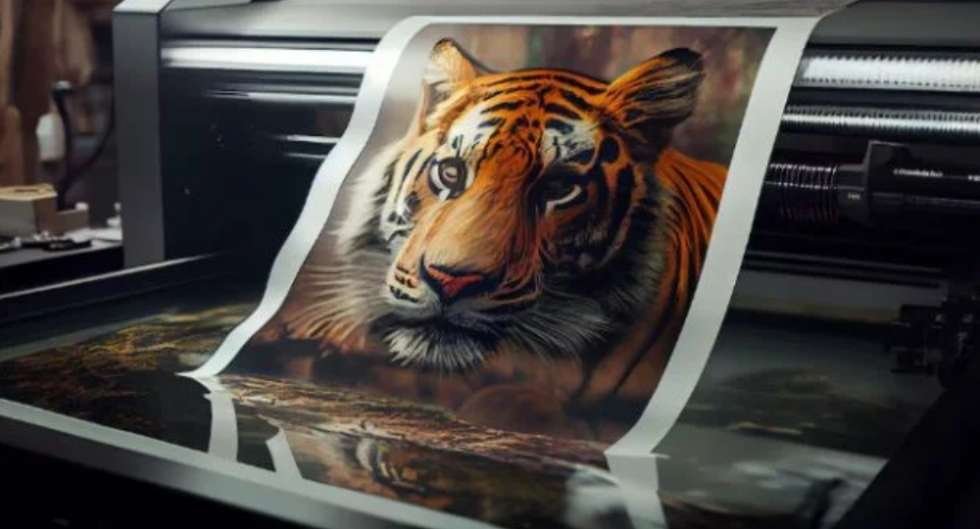

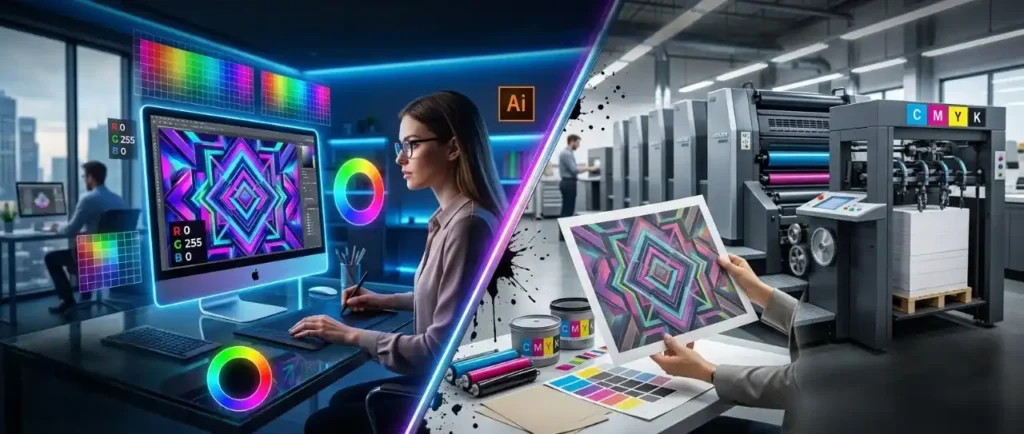
Understanding the CMYK vs RGB printing difference is essential for anyone working with design, marketing materials, or printing services. Many businesses face unexpected color changes when moving from digital designs to printed products, and the root cause often lies in using the wrong color model.
This guide explains how RGB and CMYK work, why they produce different results, and how to choose the right one for your project.
What Is RGB?
RGB stands for Red, Green, and Blue. It is a color model used for digital displays such as computers, smartphones, and televisions.
RGB works using an additive process, meaning colors are created by combining light. When all three colors are combined at full intensity, they produce white light. By adjusting the intensity of each color, millions of vibrant colors can be displayed.
This is why images on screens often appear bright, vivid, and highly saturated.
What Is CMYK?
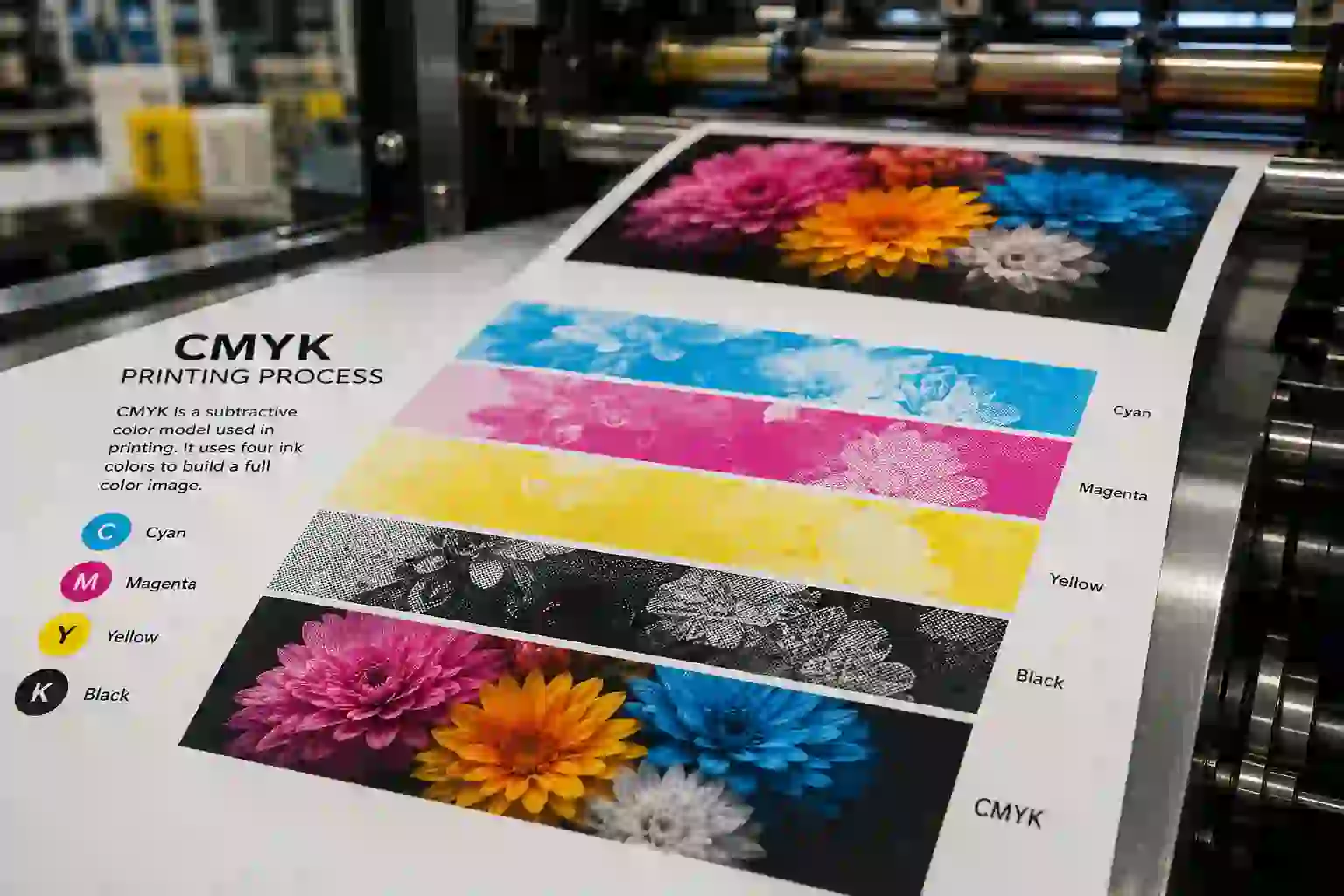
CMYK stands for Cyan, Magenta, Yellow, and Black. It is the standard color model used in printing.
Unlike RGB, CMYK uses a subtractive process. Instead of adding light, it uses ink to absorb light reflected from paper. When all colors are combined, they produce a dark tone, typically black or deep brown.
Because CMYK relies on physical ink, it has limitations compared to RGB in terms of color vibrancy.
Key Differences Between CMYK and RGB
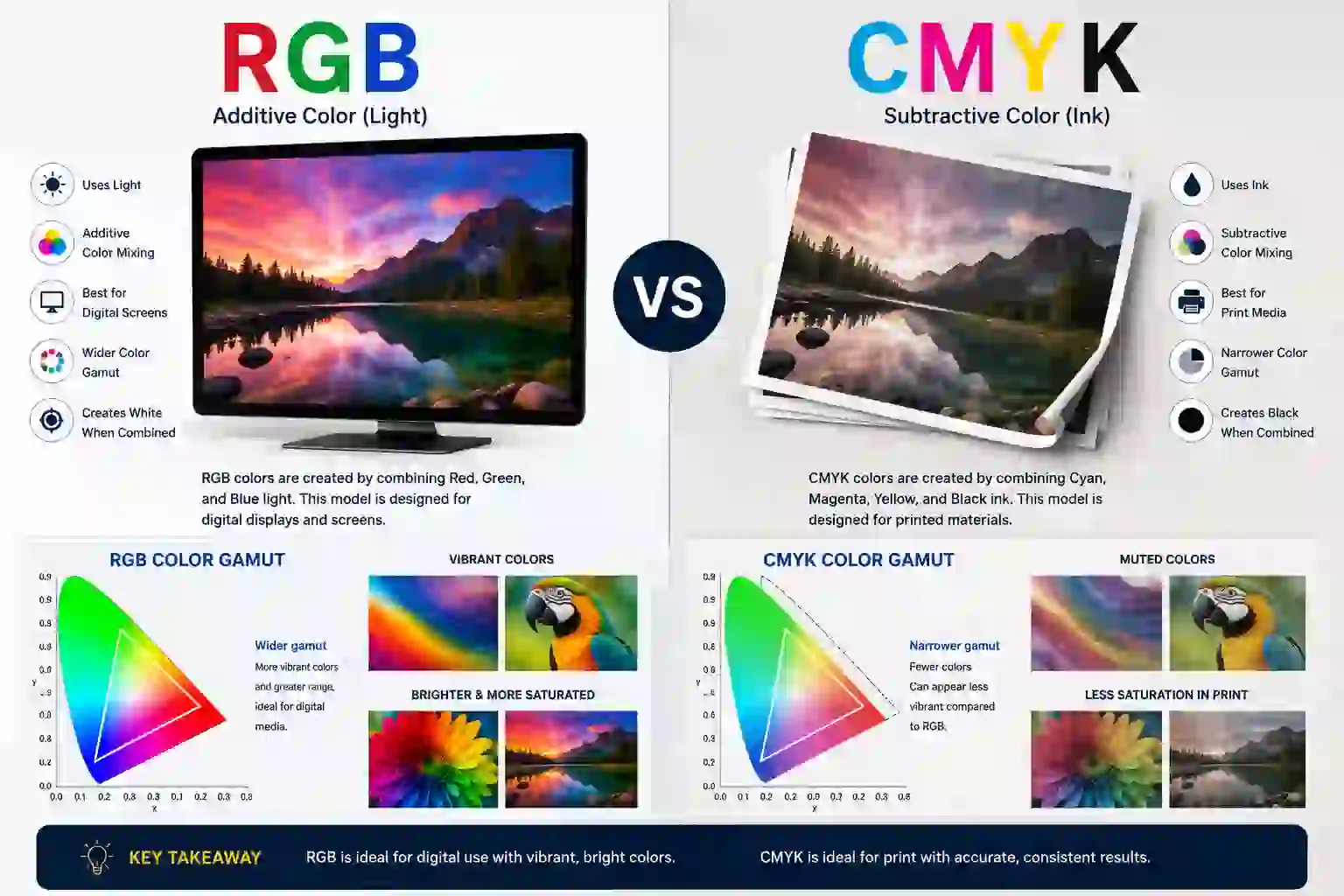
Understanding the differences between these two models helps avoid costly printing mistakes.
Core Differences at a Glance
- RGB uses light to create colors, while CMYK uses ink
- RGB is ideal for digital screens, while CMYK is designed for print
- RGB produces brighter and more vibrant colors
- CMYK has a more limited color range due to ink constraints
- RGB combines to create white, while CMYK combines to create black
These differences directly impact how your designs appear across mediums.
Why RGB Looks Different in Print
One of the most common frustrations in design is seeing a vibrant digital design appear dull when printed. This happens because RGB has a wider color gamut than CMYK.
Colors like neon greens, bright blues, and glowing reds are easily displayed on screens but cannot be accurately reproduced with standard printing inks. When an RGB file is converted to CMYK, these colors are adjusted to the closest possible match, often resulting in muted tones.
This is why a design that looks perfect on screen may not look the same in print.
The Importance of Designing in CMYK for Print
If your final output is printed material, designing in CMYK from the beginning is crucial. It ensures that the colors you see during the design process are closer to the final printed result.
Relying on automatic conversion from RGB to CMYK can lead to unpredictable outcomes. Professional printers convert files before printing, but without manual adjustments, the results may not meet expectations.
Designing in CMYK allows for better control over color accuracy and consistency.
To better understand how your designs translate into real-world output, it’s useful to explore what is commercial printing before finalizing your files.
When to Use RGB vs CMYK
Choosing the right color model depends entirely on the purpose of your project.
Use RGB for Digital Projects
- Websites and landing pages
- Social media graphics
- Online advertisements
- Videos and digital presentations
RGB is ideal for anything viewed on a screen because it delivers vibrant and dynamic visuals.
For businesses creating digital content to attract customers, understanding local SEO for small businesses can help improve online visibility and drive more targeted traffic.
Use CMYK for Print Projects
- Brochures and flyers
- Business cards and stationery
- Posters and banners
- Packaging and magazines
CMYK ensures that printed materials maintain color accuracy and professional quality.
Understanding Color Gamut Differences
The term “color gamut” refers to the range of colors a system can produce. RGB has a significantly wider gamut than CMYK.
To dive deeper into how color ranges affect design output, refer to the color gamut explained in detail for a more technical understanding.
This means RGB can display colors that CMYK simply cannot replicate. When converting from RGB to CMYK, colors outside the CMYK range are compressed or altered.
Designers often use soft-proofing tools to preview how colors will appear in CMYK before printing. This helps avoid surprises and ensures better results.
What Happens If You Print in RGB?

If you send an RGB file to a professional printer, it will be automatically converted to CMYK. While this process is necessary, it can lead to unexpected color shifts.
For a clearer breakdown of how files are converted, check RGB to CMYK conversion explained to avoid common printing issues.
Bright colors may appear duller, gradients may change slightly, and overall contrast may be reduced. This is especially noticeable in brand materials where color consistency is critical.
To avoid these issues, always convert and adjust your files manually before sending them to print.
Rich Black in CMYK Printing
In CMYK printing, not all blacks are the same. A simple 100% black (K) can sometimes appear flat or grayish.
To achieve a deeper and more visually appealing black, designers use “rich black.” This involves adding small amounts of cyan, magenta, and yellow to the black ink.
Rich black creates a more насыщенный and professional finish, especially for large areas like backgrounds or headings.
The Role of Pantone in Color Accuracy
For businesses that require precise color matching, such as branding, the Pantone Matching System (PMS) is often used.
Pantone provides standardized ink colors that ensure consistency across different print jobs.
You can explore Pantone color matching system guide to understand how brands maintain consistent colors across print materials.
This is especially useful when exact color reproduction is critical, such as logos or packaging.
While CMYK is widely used, Pantone offers an extra level of accuracy for specialized printing needs.
Common Mistakes to Avoid
Many printing issues arise from simple mistakes in file preparation. Avoiding these can save time and money.
Designing in RGB for print projects is one of the most common errors. Another mistake is not checking color conversions before printing.
Using low-resolution images or failing to proof designs can also lead to poor results. Taking the time to prepare files correctly ensures a smoother printing process.
FAQs
1. Is it better to print in CMYK or RGB?
It is better to print in CMYK because it is specifically designed for physical printing and provides more accurate color results.
2. Do professional printers use CMYK or RGB?
Professional printers use CMYK. Even if you submit an RGB file, it will be converted to CMYK before printing.
3. Why do printers use CMYK and not RGB?
Printers use CMYK because it works with ink on paper. RGB relies on light, which cannot be replicated in physical printing.
4. What happens if you don’t print in CMYK?
If you don’t print in CMYK, your design will be converted automatically, often resulting in color shifts and less accurate output.
Achieving Perfect Prints with the Right Color Model
Understanding the CMYK vs RGB printing difference is key to producing high-quality designs that look as good in print as they do on screen. By choosing the correct color model and preparing files properly, you can avoid costly mistakes and ensure consistent results.
Whether you’re designing marketing materials or product packaging, mastering these color systems is an essential part of the types of printing methods explained and helps bridge the gap between digital creativity and physical output.