



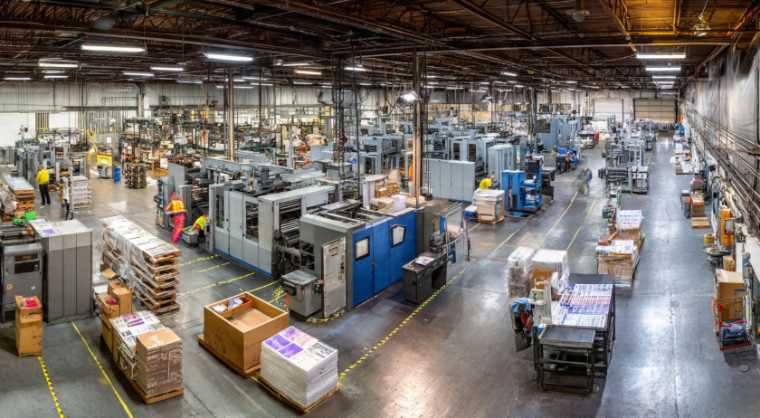

Running a printing website takes time, creativity, and a steady flow of fresh content. Seeing visitors read packaging tips, explore brochure ideas, or browse custom banner designs naturally raises one big question: how to add ads to your website without making it look cluttered or unprofessional. A smart ad strategy can turn everyday website traffic into passive income while helping cover marketing, hosting, and business expenses.
Key Takeaways
- Google AdSense is the easiest way to start monetizing a website
- Auto ads simplify ad placement for beginners
- SEO traffic directly impacts ad earnings and RPM
- Printing blogs can monetize tutorials, templates, and design guides
- Mobile-friendly ad placement improves user experience
- Fast-loading pages help increase rankings and ad revenue
Why Do Printing Websites Need Google Ads?
A customer looking for brochure layouts, business card ideas, packaging styles, or banner dimensions often spends several minutes browsing different pages. That engagement creates excellent opportunities for display advertising, native ads, and contextual ad placements.
Printing businesses also have a strong advantage because visual industries naturally encourage users to stay longer on websites. Longer session durations improve ad visibility, increase impressions, and boost overall monetization potential.
Website Traffic Creates Passive Income
Good traffic can become more than just product inquiries. A printing blog ranking for keywords like “custom packaging ideas” or “how to design event flyers” can generate recurring ad revenue every month. Informational content attracts organic traffic consistently, especially when paired with strong SEO and helpful visuals.
SEO And Advertising Work Together
Search engine optimization plays a major role in website monetization. Higher rankings bring more page views, which directly increase ad impressions and click opportunities. Optimized blog content, fast page speed, and mobile responsiveness improve both SEO performance and advertising revenue.
How To Add Ads To Your Website Step By Step
Learning how to add ads to your website becomes much easier with a clear setup process.
Create A Google AdSense Account

Start by signing up for an AdSense account using your Google profile and website URL. Google reviews your website before approval, so having quality content and clear navigation is important. Printing websites with original blog posts and professional branding usually have stronger approval chances.
AdSense works well for beginners because it automatically matches ads to website content and visitor interests. This improves relevance and increases click-through rates over time.
Verify Your Website Properly
AdSense provides a small code snippet that must be added between the <head> and </head> tags of your website. This code helps Google confirm ownership and connect advertising tools to your site.
Most WordPress printing websites can add this code using plugins like Site Kit by Google or through theme settings. Shopify and Squarespace users can usually insert the code inside custom code sections.
Configure Your Ad Preferences
Auto Ads are the easiest option because Google automatically finds optimal locations for ad placement. This includes anchor ads, side rail ads, and vignette ads between page loads. Auto Ads work especially well for beginners who want a quick setup with minimal adjustments.
Manual Ad Units give more control over where ads appear. Printing websites often perform better when ads are placed naturally inside blog content instead of overwhelming the layout.
Best Ways To Place Ads On Your Website
Good placement improves both user experience and ad performance.
Use Auto Ads For Easy Optimization
Auto Ads simplify the entire process for beginners. Google analyzes website structure and automatically inserts ads in locations likely to perform well. This saves time while reducing the chances of poor placement decisions that hurt readability or SEO.
For printing websites with growing content libraries, Auto Ads can help identify high-performing sections without constant testing.
Add Manual Ad Units Carefully
In-content ads placed between paragraphs usually perform better than aggressive pop-ups or oversized banners. A printing guide discussing brochure paper types or custom label finishes can include responsive ads without interrupting the reading experience.
Sidebars and sticky ads should remain clean and minimal to avoid slowing down page performance.
Optimize For Mobile Users
Mobile-friendly ads improve engagement while protecting Core Web Vitals scores. Ads that shift content unexpectedly or block navigation can increase bounce rates and reduce search rankings.
Responsive ad units adapt better to different screen sizes and create a smoother browsing experience.
Smart SEO Tips For Higher Ad Revenue
Many competitors discuss setup basics but ignore advanced SEO strategies that actually increase earnings for print marketing in the digital age.
Focus On Search Intent
Intent-driven content attracts better traffic. Printing businesses should target highly specific topics like “best packaging materials for cosmetics” or “restaurant flyer printing tips.” These searches often bring engaged users who spend more time reading and interacting with content. Long-tail keywords also face less competition and improve ranking opportunities.
Build Topical Authority
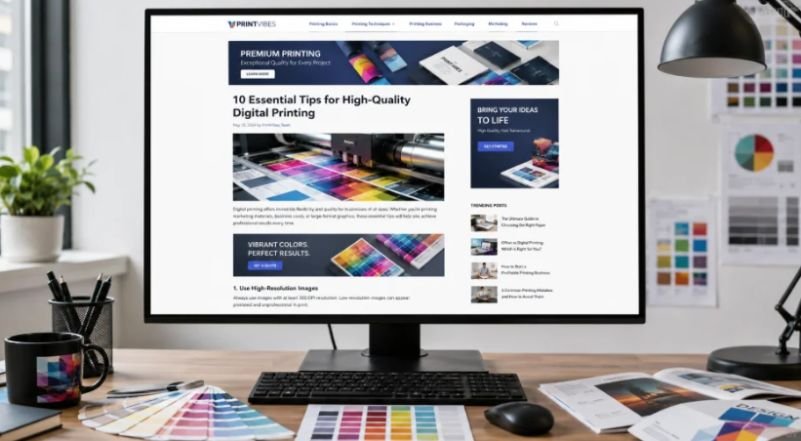
Instead of publishing random blog posts, printing websites should create clusters around packaging, signage, promotional products, business branding, and print marketing. Internal linking strengthens authority while helping search engines understand website structure. This strategy improves rankings and increases page views across multiple articles.
Improve User Engagement
Better engagement often leads to higher RPM and ad earnings.
Adding original graphics, print templates, customer examples, and design tutorials encourages visitors to stay longer on pages. More time on the site increases ad impressions and improves monetization opportunities naturally.
Common Mistakes That Hurt Ad Revenue
Avoiding simple mistakes can make a huge difference in long-term earnings.
Adding Too Many Ads
Excessive advertising damages trust and readability. Visitors quickly leave websites overloaded with banners and pop-ups. Printing websites should prioritize clean layouts and helpful content before focusing heavily on monetization. A balanced user experience usually performs better over time.
Ignoring Ads.txt Setup
Ads.txt helps verify authorized ad sellers. Creating and uploading an ads.txt file to your website’s root directory improves transparency and protects ad inventory. Many website owners skip this step even though it helps maintain healthy advertising relationships.
Forgetting Page Speed Optimization

Heavy ads and poor optimization slow website performance significantly. Compressing images, limiting unnecessary plugins, and using caching tools help maintain strong loading speeds. Fast websites rank better on Google and generally produce stronger ad engagement.
Alternative Ad Networks Worth Considering
Google AdSense is not the only option for monetization.
Ezoic And Mediavine
These networks often provide higher RPM rates for websites with strong traffic. Printing websites with growing audiences may eventually earn more through premium ad management platforms. Many publishers switch once they achieve consistent monthly sessions.
Direct Sponsorship Opportunities
Printing businesses can also secure direct sponsors. Suppliers, design software brands, and packaging companies may pay for banner placements or sponsored content. Direct sponsorships give more control over ad quality and website branding.
Niche Advertising Networks
Some ad platforms specialize in certain industries. Printing and creative websites may perform well with niche-focused advertising networks that serve design, marketing, and business-related ads to relevant audiences.
Frequently Asked Questions
1. How to earn $100 per day from AdSense?
Consistent organic traffic, SEO optimization, and strong user engagement are essential. Most websites need thousands of daily visitors and optimized ad placements to consistently reach $100 per day.
2. How much does AdSense pay per 1,000 views?
AdSense earnings vary based on niche, audience location, and advertiser demand. Many websites earn between $2 and $30 RPM, while business-focused niches often earn higher rates.
3. Is $20 a day good for Google Ads?
Yes, $20 daily can work well for small businesses. Printing companies often use this budget effectively for local campaigns, retargeting, and product-specific promotions.
4. How much is a 30 second ad worth?
The value depends on audience quality, website traffic, and niche competition. Video ads can generate anywhere from a few dollars to hundreds per thousand impressions.
Your Website Monetization Journey
Learning how to add ads to your website is about more than placing banners across a page. The real success comes from combining strong SEO, valuable content, fast-loading pages, and smart ad placements that improve rather than hurt user experience.
Printing businesses already have visual, high-engagement content that performs well online. With the right monetization strategy, even a small printing blog can create steady passive income while continuing to grow search traffic and customer trust